Try for free

Parental controls kids don't fight

SmartBlock locks games, YouTube and TikTok until your kid solves a quick challenge.

Free to start. No account needed.

Screen time they earn

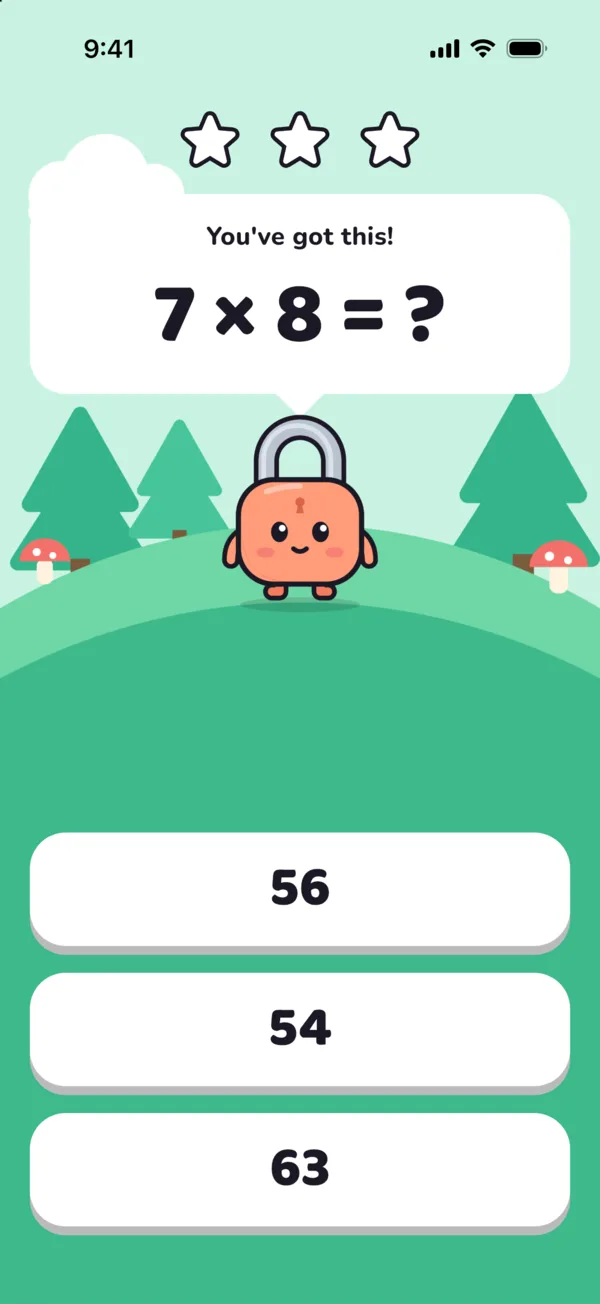
Every time your kid opens a locked app, Clic the padlock asks a few quick questions first.

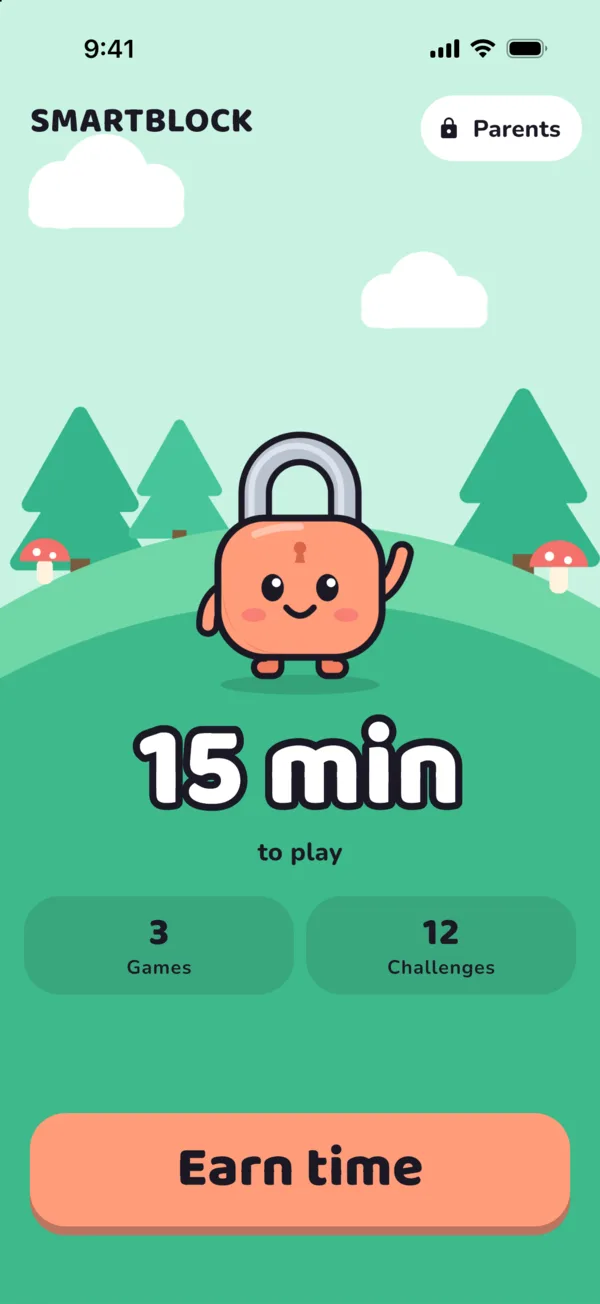
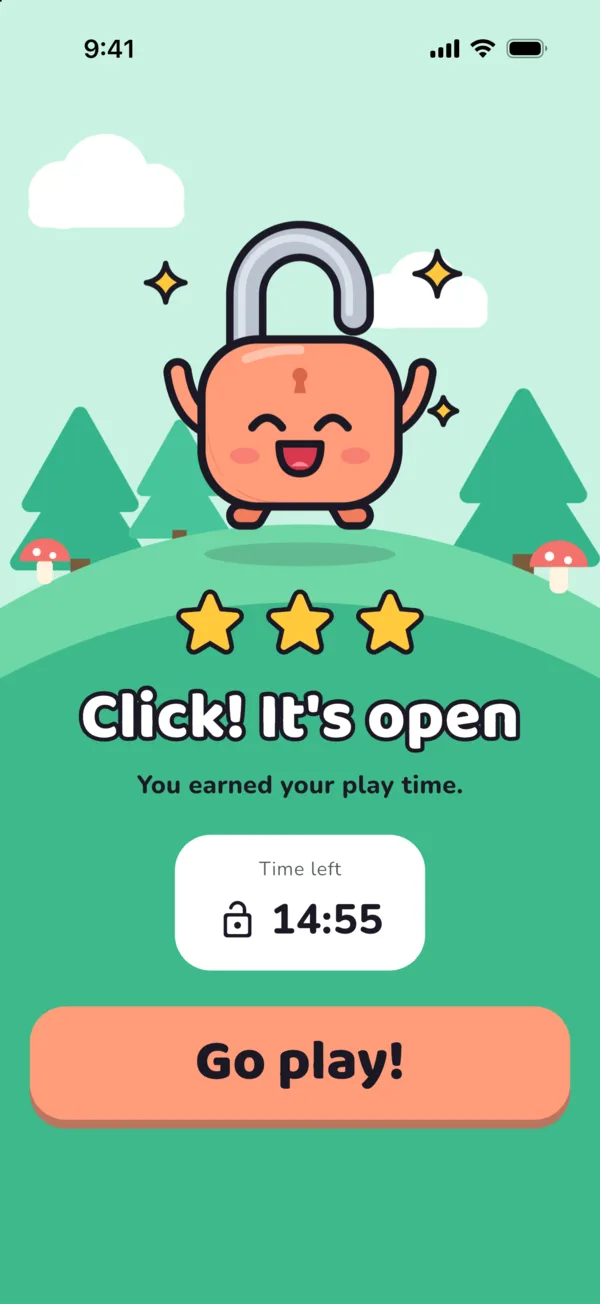
Kid's home screen in SmartBlock showing 15 minutes to play A math challenge: 7 × 8 = ? Click! It's open: the app unlocks with 14:55 of play time left
1

They reach for TikTok

The apps you picked stay locked. Clic is waiting on the other side.

2

Clic asks three questions

Math, flags, clocks or patterns, matched to your kid's age. Three right in a row and it's open.

3

Click! It's open

Play time starts. When it runs out, the apps lock again on their own.
You set the rules

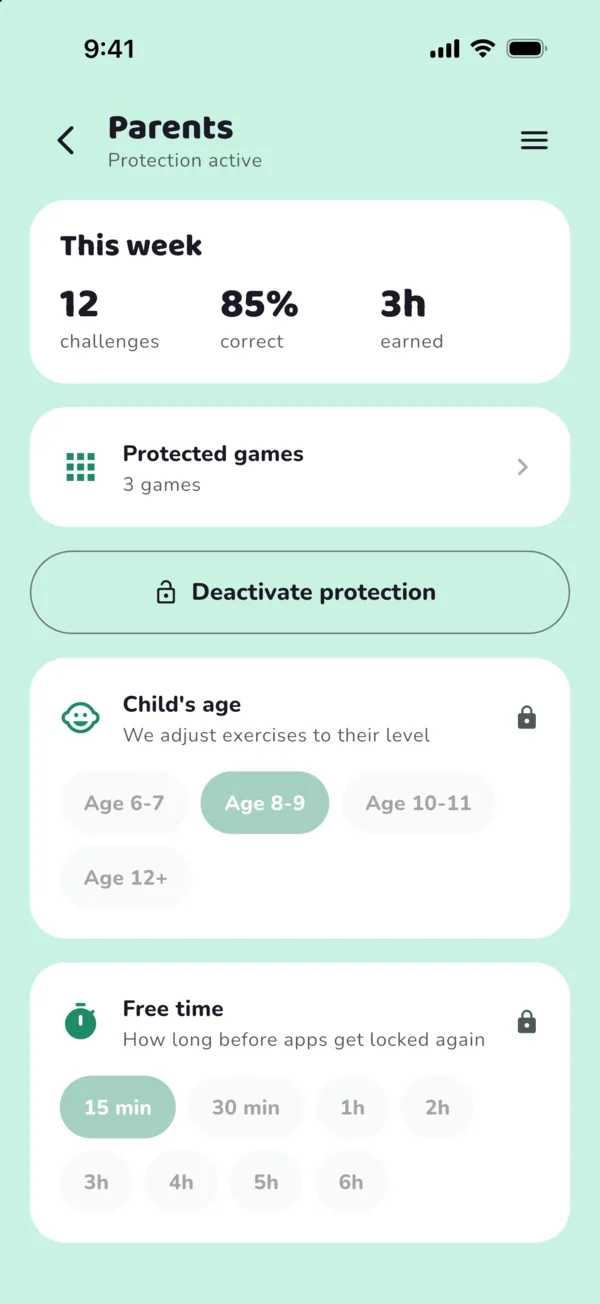
Pick the apps, the level and how long play time lasts. Your PIN keeps it that way.

Pick the apps

Games, YouTube, TikTok, Instagram. Anything on the device.

Match their age

Levels for ages 6–7, 8–9, 10–11 and 12+, from easy to expert.

Parents panel: weekly results, protected games, child's age and free time

Choose play time

Each solved challenge unlocks 15 minutes up to 6 hours. You decide.

Parent PIN

Kids can't switch it off or change settings without you.

Challenges kids actually like

Short, friendly, and different every time. Over the week, it adds up.

7 × 8 = ?

Math

Addition to mixed operations.

🇯🇵 ?

Flags

Learn the world one flag at a time.

2, 4, 8, ?

Number patterns

Spot the rule, finish the sequence.

🕒

Telling time

Read the clock, pick the time.

🍎🍌🚗

Odd one out

Which one doesn't belong?

🐼 → ?

Animal food

Who eats what in the wild.

Private by design

  • No accounts, no emails, no sign-up.
  • No ads and no tracking. Ever.
  • Settings and progress stay on your device.
  • Built on Apple's Screen Time and Family Controls on iPhone and iPad.

Questions

Does it really block apps?

Yes. On iPhone and iPad SmartBlock uses Apple's Screen Time framework, the same system iOS uses for its own limits. A locked app won't open until the challenge is solved.

How much does it cost?

SmartBlock is free to start and the free plan locks one app. Premium unlocks unlimited apps with a weekly or monthly subscription you can cancel anytime.

Can my kid just turn it off?

No. Changing settings or turning protection off needs your parent PIN.

What ages is it for?

Roughly 6 to 12 and up. You pick an age level and a difficulty, and the questions adjust.

See all questions

No more screen time fights

Free to start. No account needed.