Getting started with SmartBlock
Setup takes about two minutes. Do it on your kid's device, with them nearby if you want them to meet Clic.
1. Allow Screen Time
On iPhone and iPad, SmartBlock asks for Screen Time access. This is Apple's Family Controls permission, and it's what lets the app lock other apps. Your data doesn't leave the device.
On Android you'll allow usage access and "display over other apps" instead. Here's why.
2. Choose a parent PIN
The PIN protects your settings. Without it, nobody can turn protection off or change the locked apps. Pick one your kid hasn't seen you type.
3. Pick the apps to lock
Choose games, YouTube, TikTok or anything else from the list. The free plan locks one app; Premium locks as many as you want.
4. Set age and play time
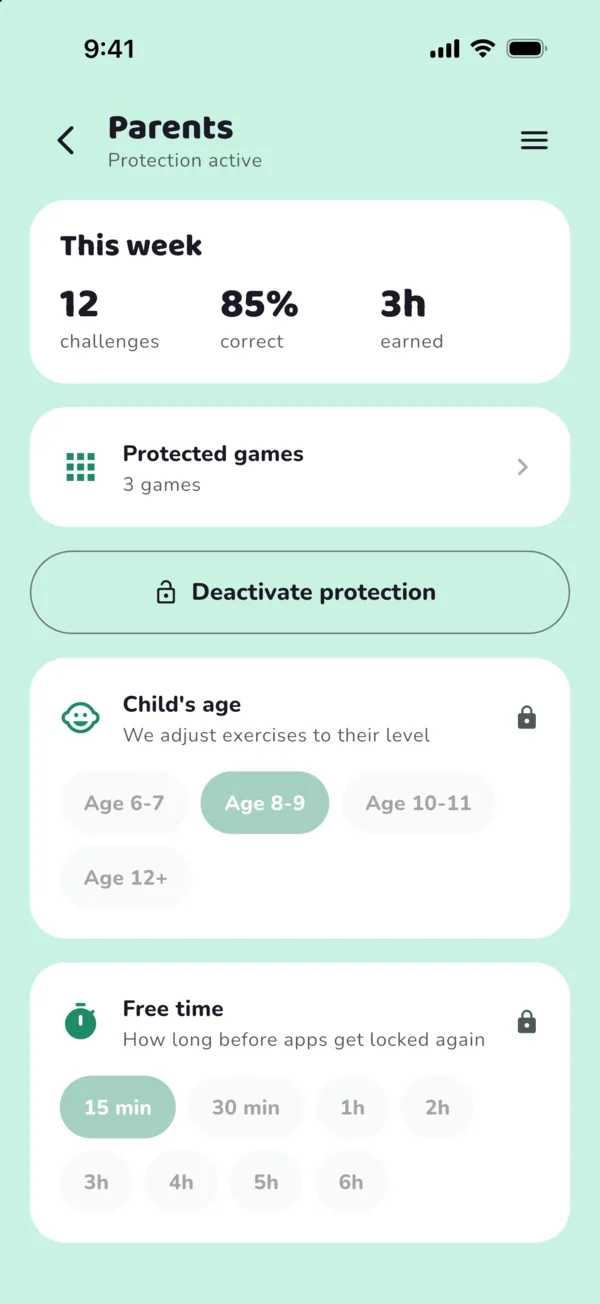
Choose your kid's age level so the questions fit, then how long an app stays open after a solved challenge, from 15 minutes up to 6 hours.
That's it
Next time a locked app is opened, Clic shows up with three quick questions. Results for the week appear in the parents panel.